


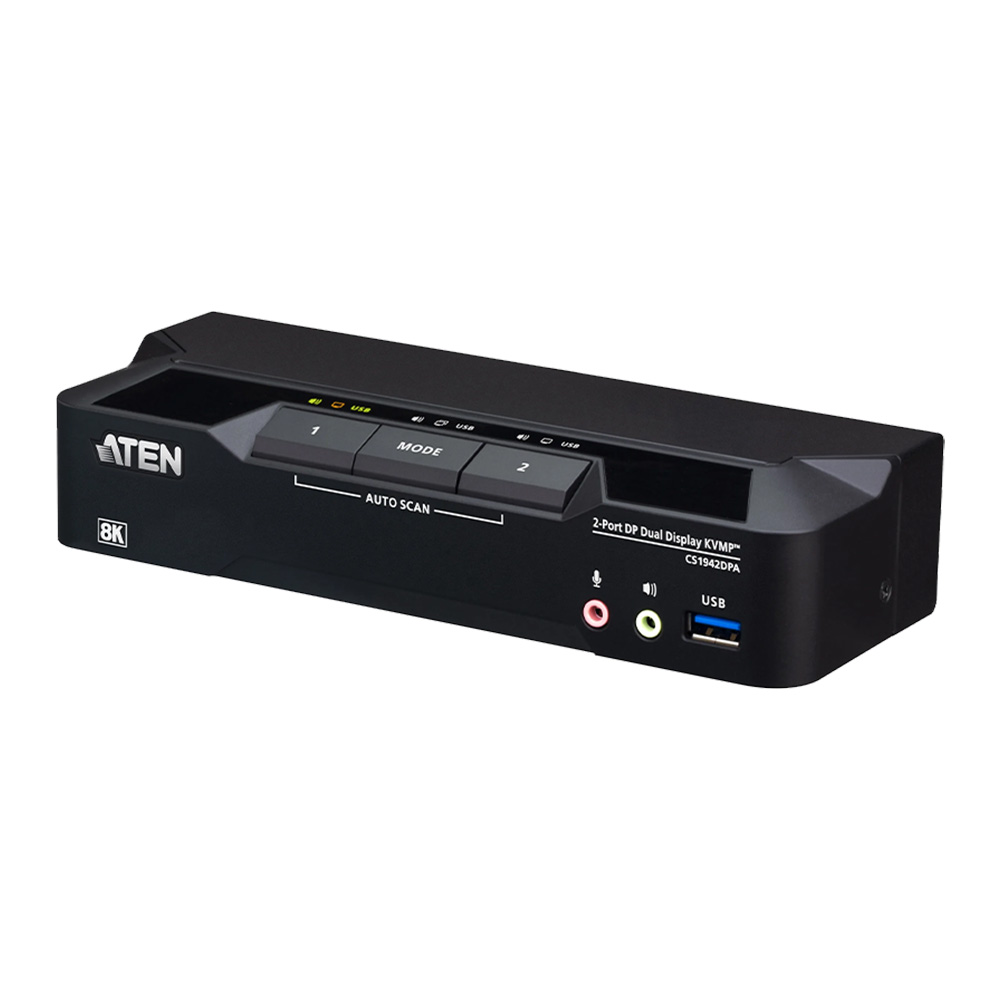

2-PORT USB3.0 8K DUAL-VIEW DISPLAYPORT KVMP SWITCH
CS1942DPA
Save $91.01
The ATEN CS1942DPA 2-Port USB 3.0 8K DisplayPort Dual-Display KVMP™ Switch simplifies multi-computer management by allowing users to operate two DisplayPort computers from a single keyboard, mouse, and dual-monitor workstation. Its compact desktop design eliminates redundant peripherals and maximizes available workspace, making it an excellent solution for CAD/CAM engineering, financial trading, multimedia production, gaming, and professional multitasking environments.
Featuring DisplayPort 1.4 connectivity, the CS1942DPA supports resolutions up to 8K at 60Hz, 5K at 60Hz, and 4K at 240Hz, delivering exceptional image clarity and smooth motion. HDR10+ and ultrawide monitor compatibility enhance the viewing experience, while Multi-Stream Transport (MST) provides additional display flexibility. For applications requiring greater screen space, two CS1942DPA units can be daisy-chained to create a quad-display workstation.
The CS1942DPA incorporates a two-port USB 3.1 Gen 1 hub with transfer speeds up to 5 Gbps, allowing connected computers to share USB peripherals without additional hardware. Users can switch between systems using front-panel pushbuttons, keyboard hotkeys, mouse controls, a remote port selector, or RS-232 commands. Independent switching of KVM, USB, and audio connections provides greater operational flexibility. Compatible with Windows, macOS, and Linux, the switch includes the necessary cables and power adapter for straightforward installation.
ATEN CS1942DPA Features
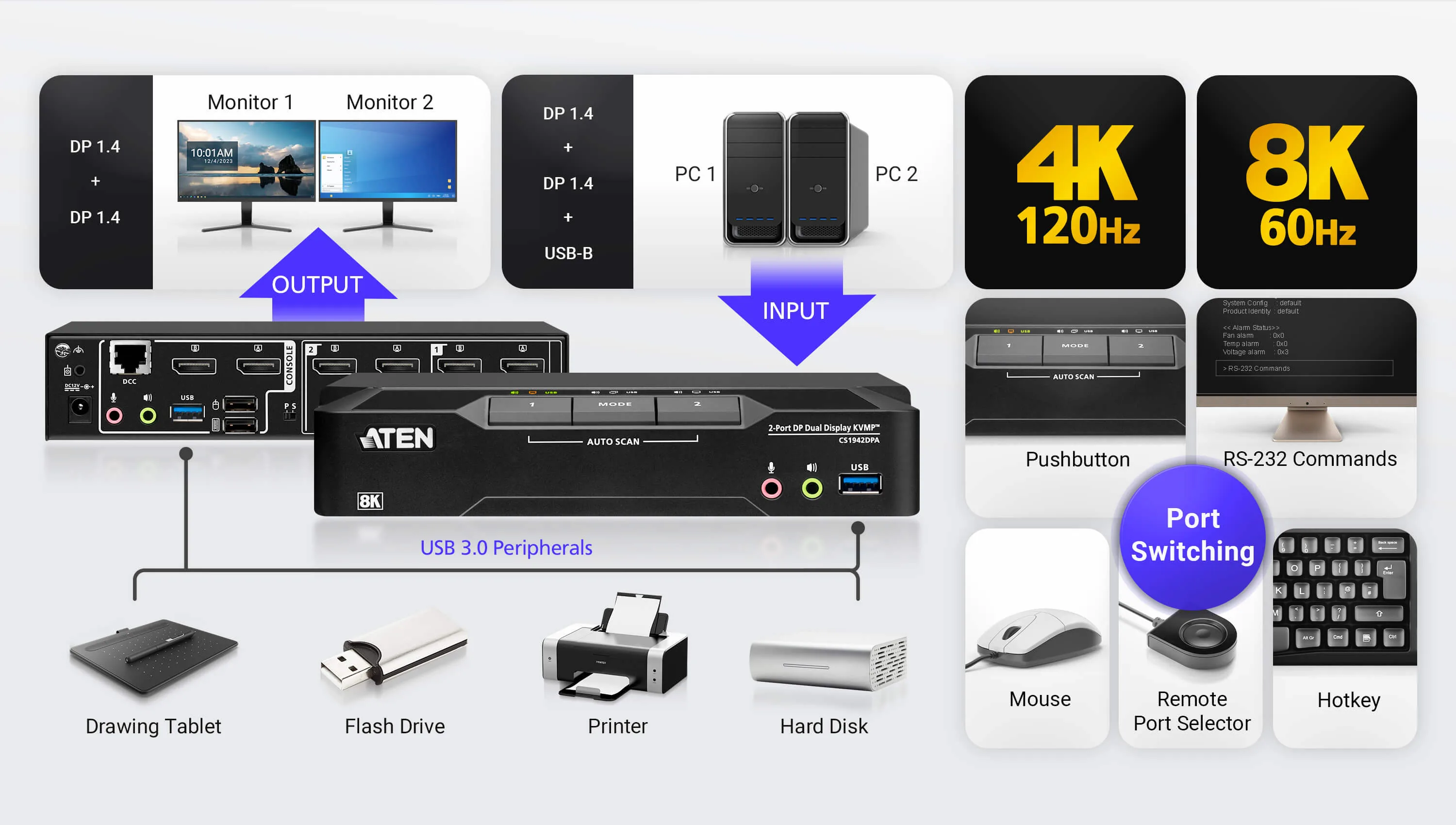
- Control two DisplayPort computers using a single USB keyboard, mouse, and two monitors
- Supports video resolutions up to 8K @ 60Hz, 5K @ 60Hz, and 4K @ 240Hz
- Quad-display support by daisy-chaining two dual-display KVM switches
- Integrated 2-port USB 3.1 Gen 1 hub with data transfer speeds up to 5 Gbps
- DisplayPort 1.4 compliant with DP++1 and Multi-Stream Transport (MST)2 support
- Supports HDR10+, HDCP, and HD audio3
- Computer selection via pushbuttons, hotkeys, mouse4, remote port selector, or RS-232 commands
- Independent switching of KVM control, USB peripherals, and audio
- Keyboard and mouse emulation and bypass support
- Automatic switching to the next active computer through power-on detection
- Supports hot-plugging and firmware upgrades
- Multilingual keyboard mapping with English, Japanese, French, and German keyboard support5
- Compatible with Windows, macOS, and Linux operating systems
- Plug-and-play installation with DisplayPort cables, USB cables, and power adapter included
- DP++ (DP Dual Mode) requires a DP++ adapter (powered DP++ adapter recommended). The graphics source must be DP++ compliant.
- MST (Multi-Stream Transport) requires monitors capable of DisplayPort 1.4 daisy-chaining or the use of a powered DisplayPort MST hub. The PC source must be DisplayPort 1.4 compliant. A DisplayPort 1.1a or 1.2 display can be the last display in a DisplayPort 1.4 chain.
- HD audio through HDMI cannot be switched independently.
- For 3-button USB wheel mice only. Mouse-port switching is supported only under mouse emulation mode.
- PC keyboard combinations emulate Mac keyboards. Mac keyboards only work with Mac computers.
ATEN CS1942DPA Package Contents
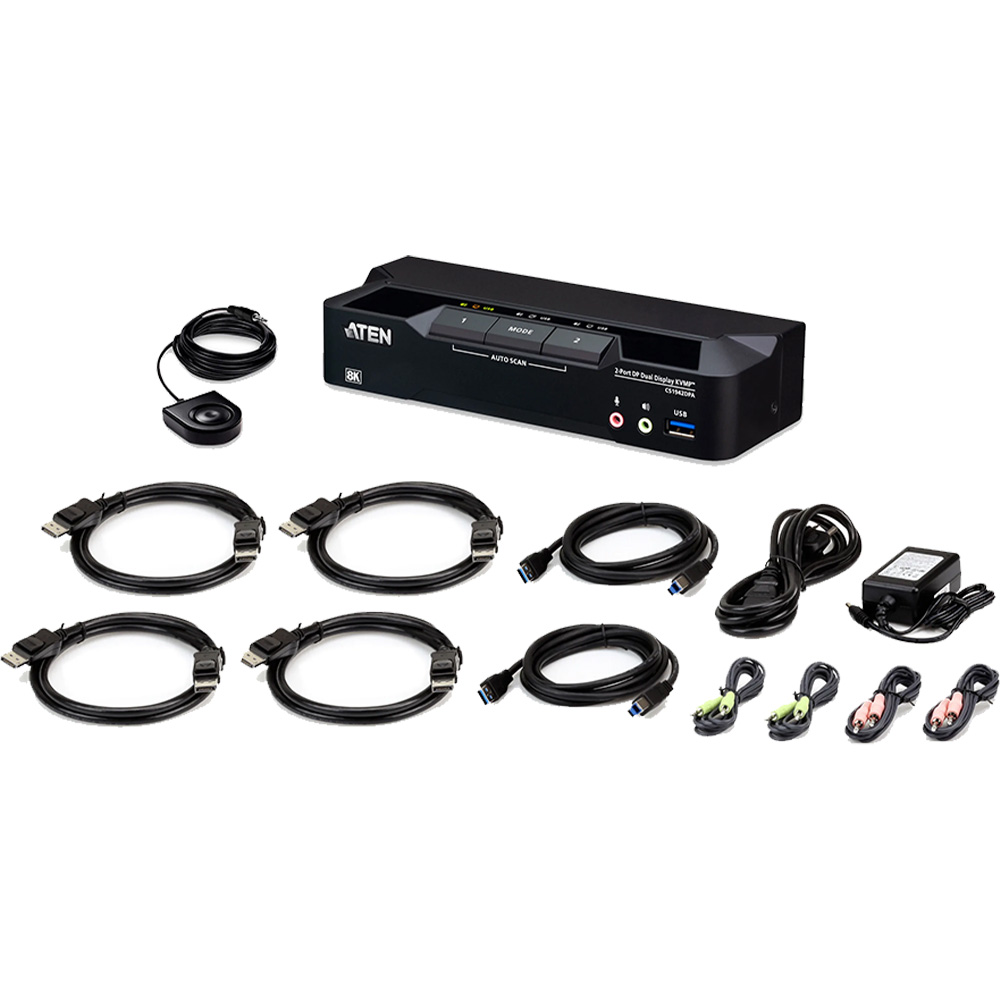
- 1 x CS1942DPA 2-Port USB 3.0 8K DisplayPort Dual-Display KVMP™ Switch
- 4 x DisplayPort cables (1.5 m/5 ft)
- 2 x USB Type-A to Type-B cables (USB 3.0-A to USB 3.0-B; 1.8 m/6 ft)
- 2 x microphone cables (1.8 m/6 ft)
- 2 x speaker cables (1.8 m/6 ft)
- 1 x remote port selector
- 1 x power adapter
- 1 x user instructions
ATEN CS1942DPA Resources
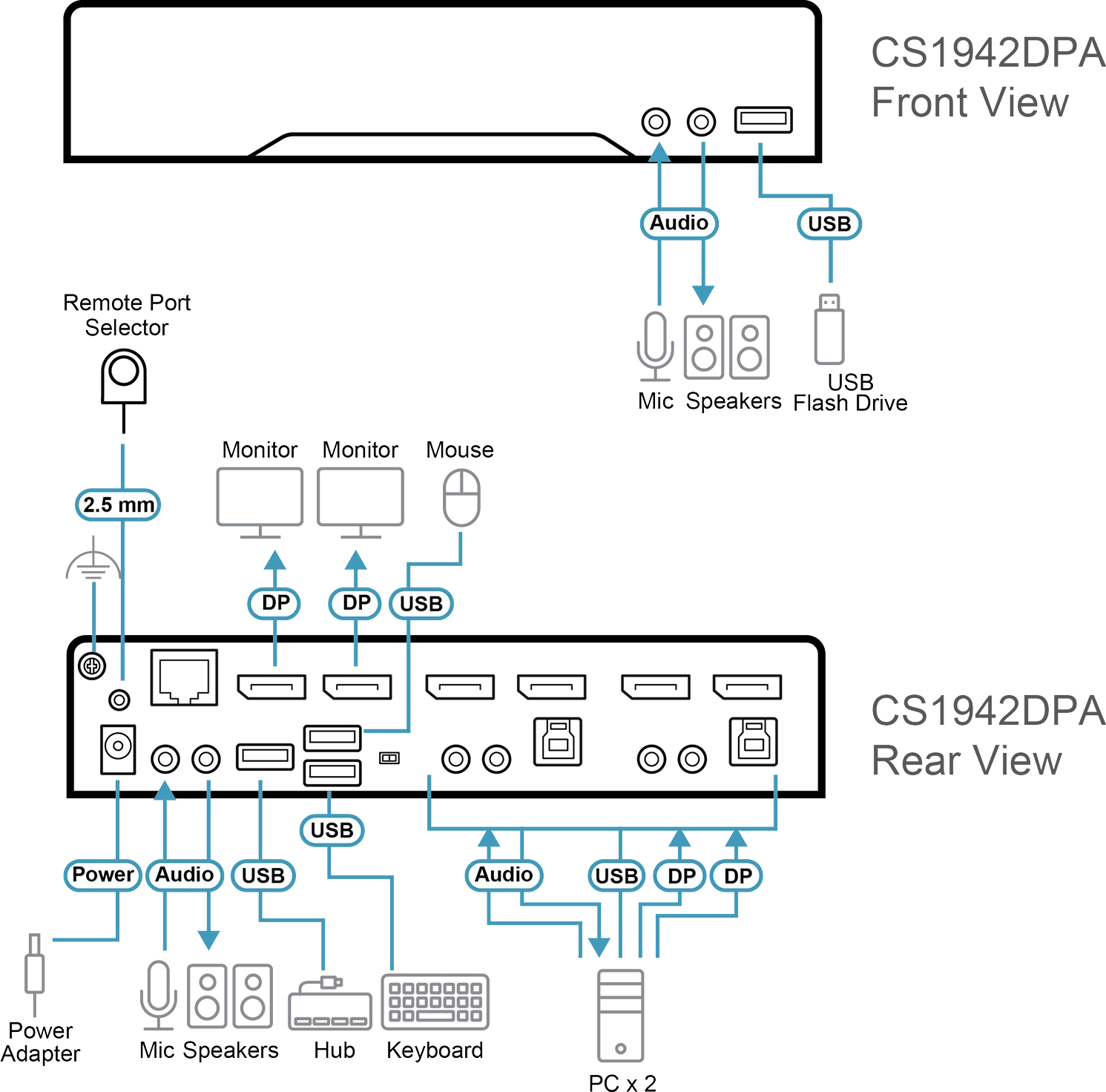
ATEN CS1942DPA Manual (PDF)
ATEN CS1942DPA Quick Start Guide (PDF)
ATEN CS1942DPA CAD Drawing (PDF)
ATEN CS1942DPA Specifications
| Specification | Description |
|---|---|
| Computer Connections | 2 |
| Port Selection | Hotkey, Pushbutton, Mouse Wheel, RS-232 Commands, Remote Port Selector |
| Connectors | |
| Console Ports |
2 x USB Type-A Female 2 x DisplayPort Female (Black) 2 x 3.5mm Audio Jack Female (Green; 1 x Front, 1 x Rear) 2 x 3.5mm Audio Jack Female (Pink; 1 x Front, 1 x Rear) |
| KVM (Computer) Ports |
2 x USB 3.1 Gen 1 Type-B Female (Blue) 4 x DisplayPort Female (Black) 2 x 3.5mm Audio Jack Female (Green) 2 x 3.5mm Audio Jack Female (Pink) |
| Daisy Chain Ports | 1 x RJ-45 Female |
| Power | 1 x DC Jack |
| USB Hub | 2 x USB 3.1 Gen 1 Type-A Female (Blue; 1 x Front, 1 x Rear) |
| LEDs | |
| KVM | 3 (Orange) |
| Audio | 3 (Green) |
| USB Link | 3 (Green) |
| Switches | |
| Selected | 3 x Pushbutton |
| Station Selection | 1 x Slide Switch |
| Emulation | |
| Keyboard / Mouse | USB |
| Video |
Up to 7680 x 4320 @ 60Hz 5120 x 2880 @ 60Hz 4096 x 2160 @ 240Hz |
| Scan Interval | 1-99 seconds (Default: 5 seconds) |
| Power Consumption |
DC 12V: 3.29W: 109 BTU/h Note:
|
| Environmental | |
| Operating Temperature | 0-50°C |
| Storage Temperature | -20-60°C |
| Humidity | 0-80% RH, Non-condensing |
| Physical Properties | |
| Housing | Metal |
| Weight | 0.47 kg (1.04 lb) |
| Dimensions (L x W x H) |
20.00 x 7.18 x 4.30 cm (7.87 x 2.83 x 1.69 in.) |
| Note | For certain rackmount products, standard physical dimensions of W x D x H are expressed in L x W x H format. |